Docker said healthy. Plex was down for 7½ hours.
One morning in September, someone outside my house texted me: Plex wasn’t working. I looked, and the Plex graphs on my dashboard had been empty since just after midnight. Docker, meanwhile, said the Plex container was “Up 7 hours (healthy)”.
It wasn’t healthy. Plex had been down for about 7½ hours, and the only thing that noticed was a person trying to watch something.
This is what went wrong, the setting that made it likely, and the watchdog I now run so that I hear about it from a quiet note on my phone instead of a text from someone else.
What you’ll end up with
- A longer stop timeout on slow apps like Plex, which makes my kind of outage less likely.
- A free script that checks one app the way a browser would, every few minutes, and restarts it if it’s running but not answering.
- Or, with the kit, a watchdog for all your apps that clears known stuck files, restarts quietly, and sends you a note like this one:
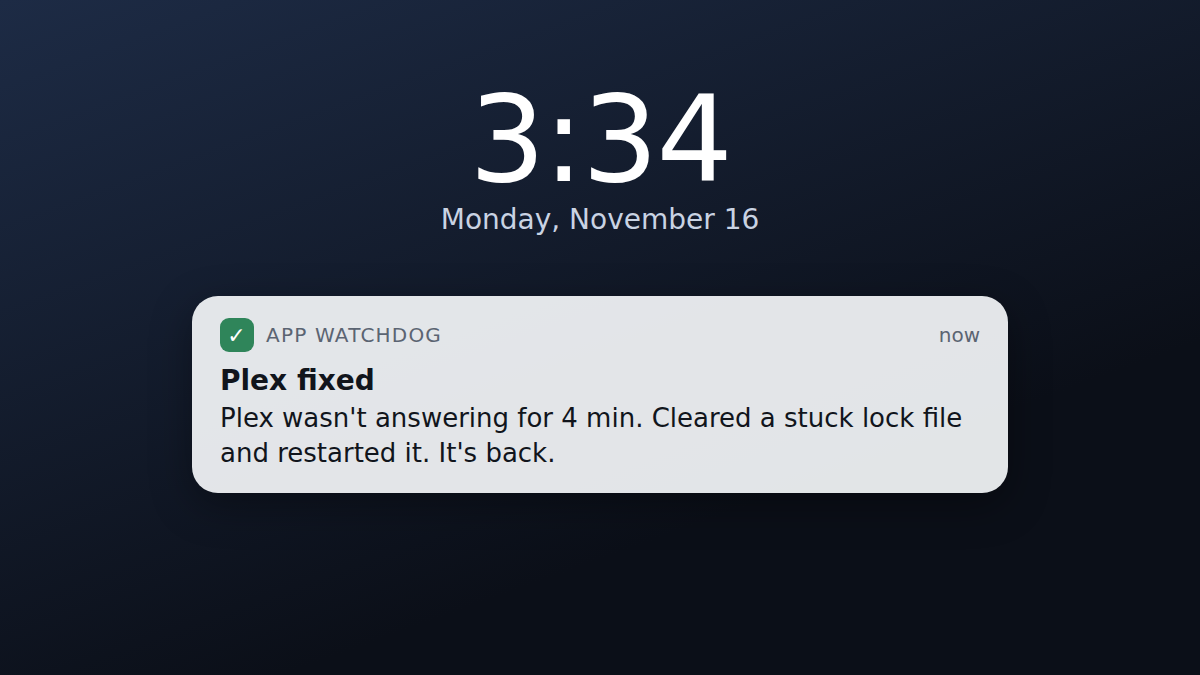
(That’s an illustration, with a made-up time, not a screenshot of my phone.)
What you need
| Thing | What I use | Cost |
|---|---|---|
| A computer running your apps in Docker | My Unraid server | $0 (already have it) |
| A way to get notes on your phone | Pushover, which I already had | $0 to $5 |
On notes: I use Pushover. It isn’t free: there’s a 30-day free trial, then it’s a $4.99 one-time purchase on each platform you use it on (iPhone, Android, desktop). I bought it years ago, so it’s been part of my setup ever since. If you’d rather pay nothing, ntfy is free, and the kit works with it too.
Steps
1. Give slow apps time to shut down
This makes what happened to me less likely (the story is below), though, as I found out, not impossible. When something stops a container (you, an update, or a nightly backup), Docker asks the app to shut down and waits 10 seconds. Then it kills it. A big app like Plex can need longer, and if it’s killed halfway through, it can leave files behind that stop it starting again.
Give it a minute instead:
- Docker Compose: add
stop_grace_period: 60sunder the app’s service, then rundocker compose up -d. - Unraid: on the Docker tab, click the app and choose Edit, switch to Advanced View, add
--stop-timeout=60to Extra Parameters, and click Apply.
The container has to be recreated for this to take effect, which both of those do. A plain restart isn’t enough, and neither is docker update: Claude tried it, and it doesn’t support this setting.
2. Check the app for real
Docker’s “healthy” only means whatever test the container’s author wrote passed. For my Plex container, that test passed while Plex itself wasn’t running. So check the app the way you’d use it: ask its web page for an answer.
Download watch-one-app.sh (free), put it somewhere on the computer that runs your apps, and make it runnable:
chmod +x watch-one-app.sh./watch-one-app.sh http://localhost:32400/identity plex 3The three things it needs are the address to check, the container’s name (docker ps lists them), and how many failed checks in a row before it acts. Any normal reply from the app counts as “answering”, even a login page; only no answer, a timeout or a server error count as failures. After three failures in a row, if the container is running, it restarts it. It never starts a stopped container, because backups and people stop containers on purpose.
Then run it every 5 minutes with cron (crontab -e):
*/5 * * * * /home/you/watch-one-app.sh http://localhost:32400/identity plex 3On Unraid, the User Scripts plugin can run it: make a new script whose only line is the script’s path with its three settings (the part after */5 * * * * above), and give it a custom schedule of */5 * * * *.
Some addresses that answer without a login: Plex /identity, Sonarr and Radarr /ping, Jellyfin /health.
Where I broke it
As always on this site: Claude, the AI assistant I build with, did the digging and wrote the code. I noticed the problem, decided what to do, and approved the risky steps.
“Healthy” for 7½ hours
My server runs a backup plugin every night at midnight. For each app, it stops the container, copies the app’s files, and starts it again. That night it stopped Plex a few minutes after midnight and started it again about half an hour later.
When Claude started looking, it first looked like a monitoring problem: the script that feeds my dashboard was getting “connection refused” from Plex. A few other apps had refused connections during the backup too, which made it look like a network hiccup. But they had recovered, and Plex hadn’t. Then the real clue: docker ps said the container was up and healthy, but looking inside it showed no Plex process at all, just the container’s own startup shell.
A leftover lock file
Plex’s log from that night told the story. When the backup started the container again, its start-up script found a file called plexmediaserver.pid, a note Plex leaves while it’s running to say “I’m already on”. It logged “Plex Media Server is already running. Will not start…” and stopped there. The container stayed up, its health check didn’t test whether Plex itself answered, and so everything looked fine.
The file was almost certainly left over because Plex hadn’t shut down cleanly: the container had no stop timeout set, so Docker gave it the default 10 seconds before killing it. Moving that one file aside and restarting the container brought Plex back immediately.
Fixing it properly needed my OK
The lasting fix was the 60-second stop timeout from step 1. Docker won’t change that setting on an existing container, so Claude had to stop, remove and recreate the Plex container. Claude Code’s own safety check paused at that point, because it was about to remove something the whole household uses, and it handed the decision to me with the exact commands. I said yes. Afterwards it checked the things that matter, not just the “healthy” label: the setting, the actual Plex process, the port answering, and the graphics card still working inside the container.
A watchdog that ran once a night
Then we added a watchdog: a small script that checked Plex’s real port every night at 2 AM, cleared that lock file if needed, restarted Plex and told me either way.
It turned out I needed it. On October 9 and again on October 13, it found Plex down at 2 AM, with the same stuck lock file, after the same nightly backup, even though Plex now had its 60-second stop timeout. Both times it cleared the file and had Plex back within 15 seconds. So the longer timeout made this less likely, but it didn’t make it impossible.
It also showed the script’s limits. Plex had been down since the backup restarted it, sometime after midnight, so it could have been out for well over an hour before the 2 AM check found it. The script only looked once a day, and it only knew about Plex.
What I run now
The kit is what replaced that script on my server this week. It checks Plex, Sonarr and Radarr every minute, the way a browser would. If one is running but not answering for about three minutes, it clears any stuck file I’ve told it about, restarts it, and sends me a quiet note. If two restarts don’t help, it sends one loud alert and stops trying, rather than restarting something forever.
Two rules matter most to me. It never starts a stopped container: I stop things on purpose sometimes, and so does the backup. And it keeps its hands off entirely while the nightly backup runs. Before switching over, I ran its drill, which builds a throwaway container that fails in exactly the way Plex did, and watched it get found and fixed, with the note arriving on my phone.
Want the full version?
The free script watches one app. The kit is the watchdog I run now, for $3:
- Watches all your apps: ready-made setups for Plex (including the stuck lock file), Jellyfin, Sonarr, Radarr and Home Assistant, or any web page or port.
- Fixes quietly and tells you what it did; one loud alert if it can’t.
- Never starts a stopped container, never loops, and stays out of your backup window.
- Notes by ntfy (free), Pushover or any webhook, plus an optional “still alive” check so you hear about it if the watchdog itself stops.
- A drill that proves the whole chain on a throwaway container.
- Runs in Docker, with steps for plain Linux and Unraid, a step-by-step guide (PDF too) and a printable checklist.
Related
Want it ready to go? App Watchdog Kit
Checks your Docker apps the way you would, quietly fixes the ones that are running but not answering, and tells you what it did.
$3
Coming soon